 macToolKit
Six Mac tools.
One menu bar icon.
macToolKit is a native menu bar app that bundles the little utilities you'd otherwise install six apps for: f.lux-style color temperature, trigger-word AI rewriting, scroll reversing, an Alt-Tab window switcher, folder and zip previews in Finder, and automatic audio device switching. Each one toggles on and off independently - use what you want, ignore the rest.
MIT licensed · Signed & notarized · macOS 26+ · Apple Silicon · or install with Homebrew
A wrench in the menu bar, tools on demand
No dock icon unless you want one, no windows to babysit. Click the wrench, flip a toggle, and the tool runs quietly in the background until you turn it off.
Click the wrench
One icon in the menu bar opens a plain, native menu: a toggle per tool, Settings, and Quit. That's the whole surface.
Toggle the tools you want
Each of the six tools is independent. Run just the scroll reverser, or all of them - nothing loads until you switch it on.
Grant once, forget
Tools that watch input need Accessibility - macOS asks once, the app waits calmly until you grant it. Window thumbnails add optional Screen Recording.
Everything stays on-device
Native SwiftUI/AppKit, no accounts, no telemetry. Rewritely runs on Apple Intelligence - your text never leaves the Mac.
You type, ending with a trigger
Rewritely replaces it in place
The utilities you'd install six apps for
Each tool gets its own settings pane, its own tint, and its own on/off switch. Together they replace a small folder of single-purpose apps.
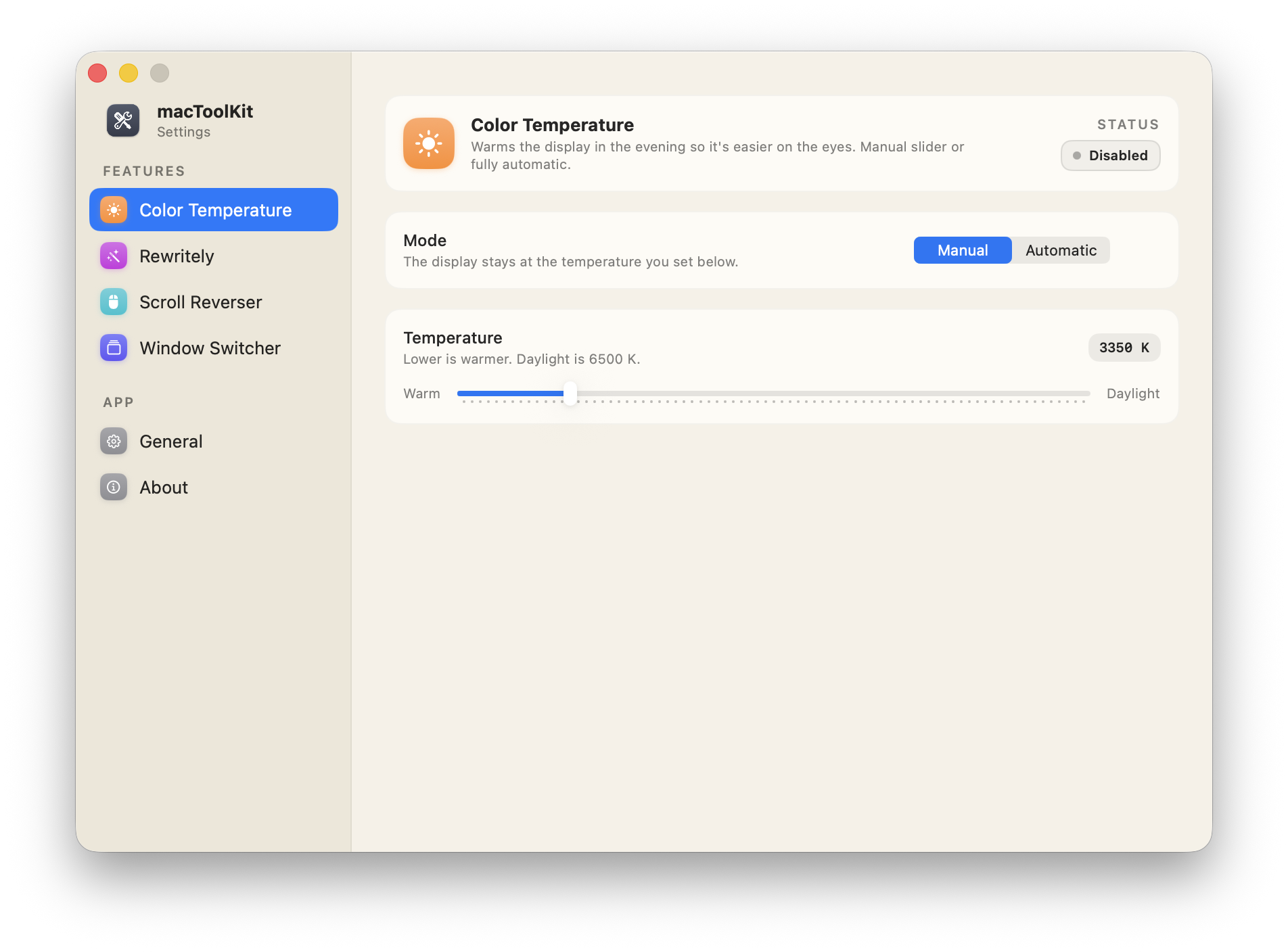
Warm evenings, without f.lux
Warms the display so late-night screens are easier on the eyes. Drag the slider for a fixed warmth, or let it follow the sun.
- Auto mode - warms at sunset, cools at sunrise. Uses your location (optional) or fixed times you set.
- Survives sleep and display changes - macOS resets gamma tables on wake; macToolKit reapplies your warmth automatically.
- Clean exit - disabling the tool or quitting the app restores your display's original calibration, never a stuck tint.
- No permissions needed - manual mode works the moment you switch it on. Location is optional, and only for auto mode.

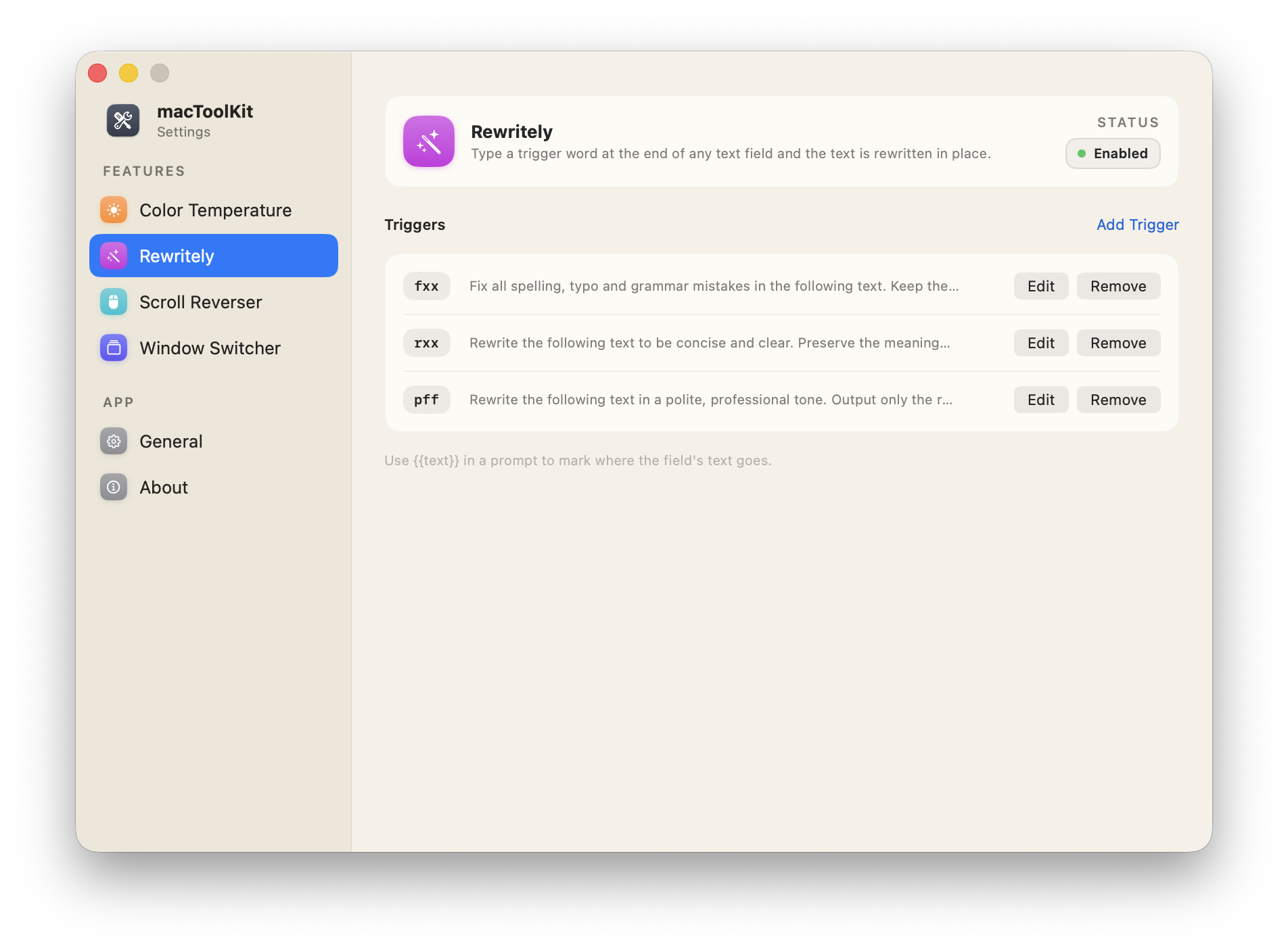
Type a trigger, get a rewrite in place
End any text field with a trigger word - ;;fix, ;;tight,
;;prof - and the text is rewritten right where you typed it. Works in Mail,
Slack, browsers, anywhere.
- On-device Apple Intelligence - the rewrite runs on the local model. Nothing is sent to a server, no API key to manage.
- Your triggers, your prompts - edit the defaults or add your own;
{{text}}in a prompt stands for the field's text. - Defaults included -
;;fixfixes spelling and grammar,;;tightmakes it concise,;;profmakes it professional. - Stubborn fields handled - some Electron and web views won't accept direct replacement; a clipboard fallback preserves everything after the trigger.
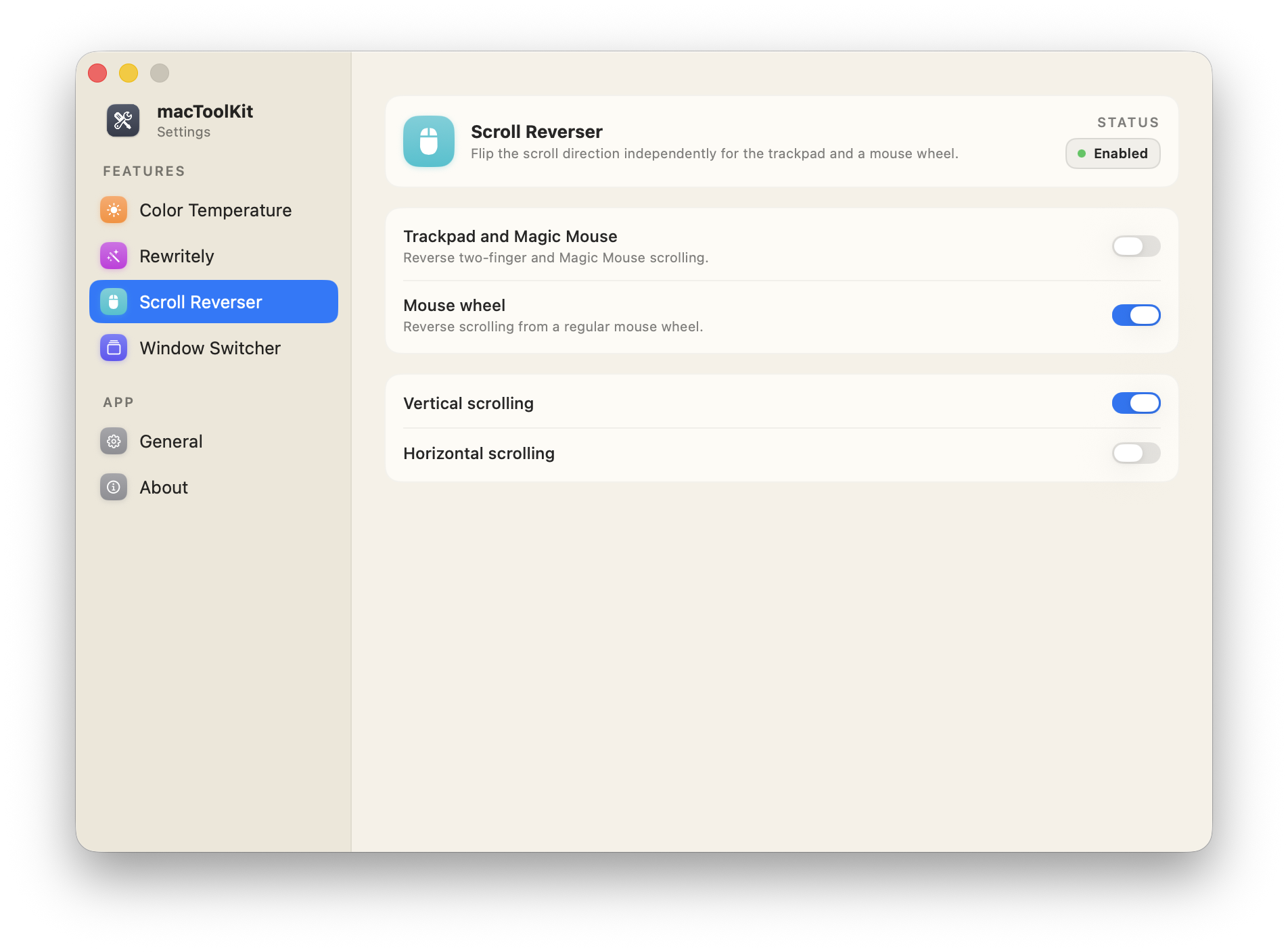
Natural on the trackpad, normal on the mouse
macOS gives you one scroll direction for everything. If you like "natural" scrolling on the trackpad but a classic wheel on your mouse - or the other way round - this fixes it.
- Per device - trackpad and mouse are reversed independently.
- Per axis - vertical and horizontal scrolling are also independent, so you can flip one without the other.
- Resilient - the event tap runs on its own thread and recovers automatically if macOS pauses it.
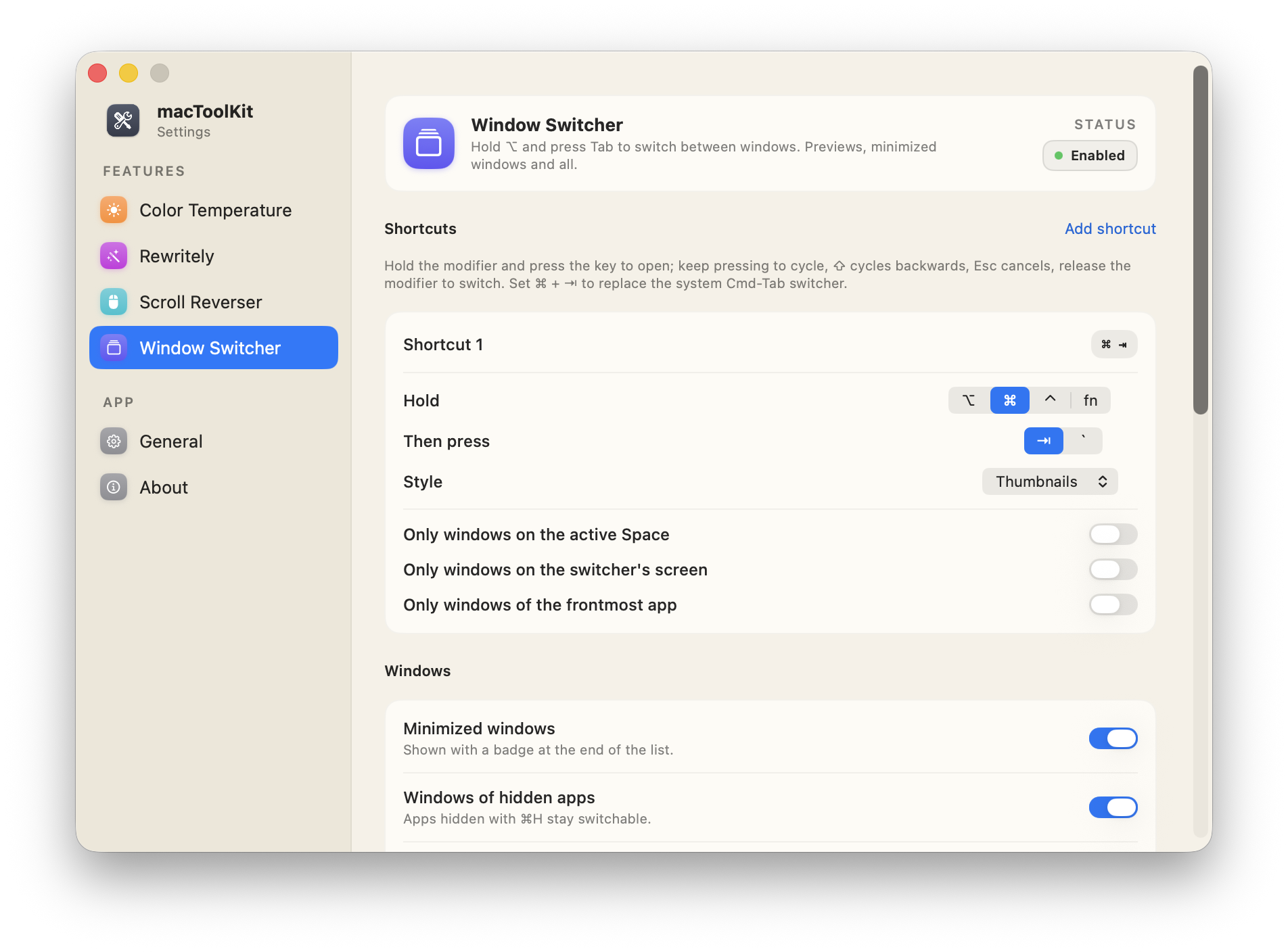
Switch between windows, not apps
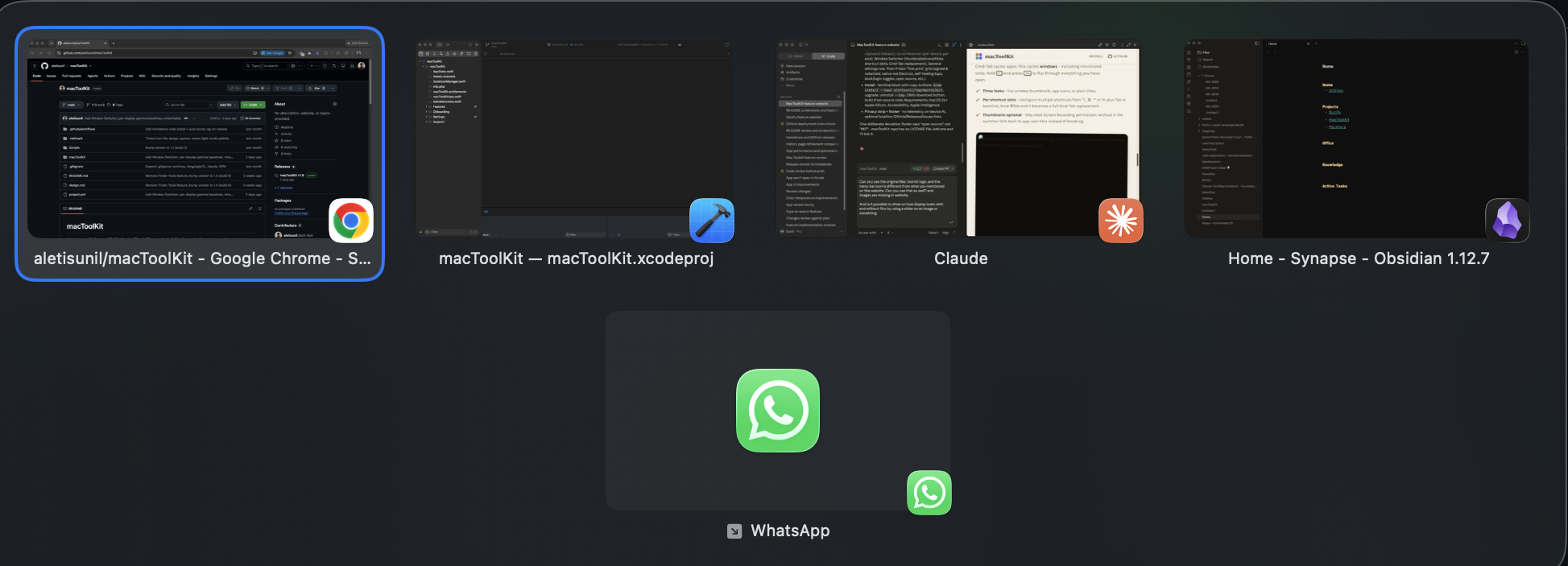
Cmd-Tab cycles apps; this cycles windows - including minimized ones. Hold ⌥ and press Tab to flip through everything you have open.
- Three looks - live window thumbnails, app icons, or plain titles.
- Per-shortcut slots - configure multiple shortcuts from ⌥, ⌘, ⌃ or fn plus Tab or backtick; bind ⌘Tab and it becomes a full Cmd-Tab replacement.
- Thumbnails optional - they need Screen Recording permission; without it the switcher falls back to app-icon tiles instead of breaking.
Quick Look that actually shows what's inside
Select a folder or a .zip in Finder and press Space. Instead of a
generic icon you get a browsable tree - expand subfolders, sort by any column, double-click
to open.
- Folders and archives - both answer to Space. Everything else keeps its normal Quick Look preview, so nothing you already rely on changes.
- Zips without unzipping - the archive's central directory is read directly and never decompressed, so a multi-gigabyte zip lists as fast as a small one.
- Sort and dig - Name, Date Modified, Size and Kind columns, plus a depth setting that preloads nested folders up to ten levels down.
- No permissions needed - a native Quick Look extension. Finder hands it the selected item, so there's nothing to grant and no menu bar toggle to remember.
The right speakers and mic, without the trip to System Settings
Rank your outputs and inputs, best first. Plug one in and it takes over; unplug it and the next one down takes its place.
- Two ranked lists - outputs and inputs are ordered separately, so your headphones and your mic can win independently.
- Remembered properly - devices are tracked by their hardware UID, not a number macOS reshuffles, so they survive reconnects and reboots.
- Manual picks respected - choose a device by hand and it stays chosen, until the ranking has something to say again.
- Alert sounds too - optionally keep beeps and volume feedback on the same device as everything else.
- No permissions needed - it reads the list of audio devices attached to your Mac, nothing more.
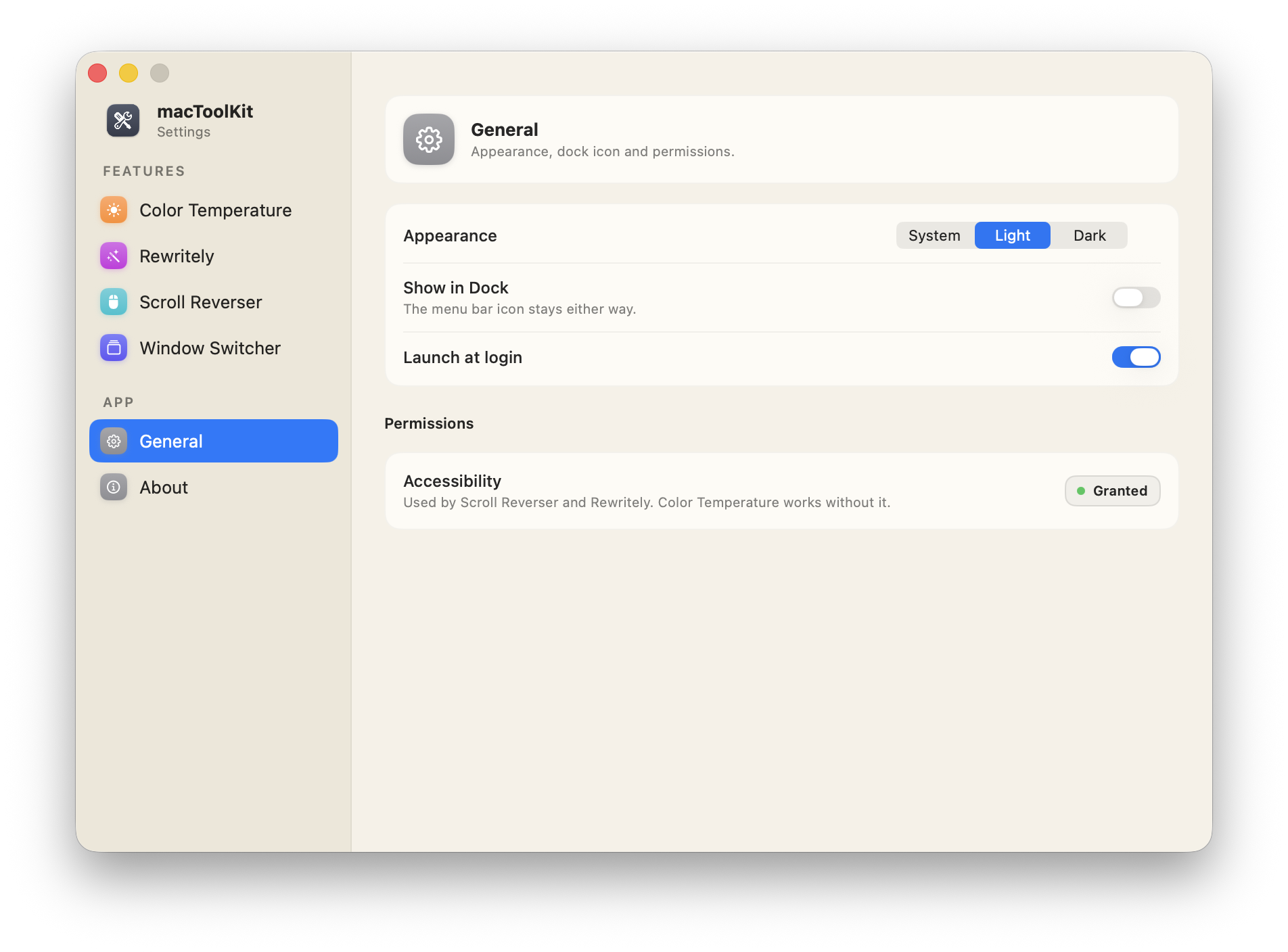
Settings that feel like System Settings
One window, slim sidebar, a pane per tool - each with a status chip that tells you at a glance whether it's running or waiting on a permission.
- Appearance - follow the system, or force Light (the cream palette) or Dark.
- Show in Dock - run as a pure menu bar app, or add a dock icon if that's your style.
- Launch at login - one toggle, so your tools are on from the first second.
Signed & notarized
Developer ID signed and notarized by Apple - it opens without Gatekeeper warnings.
Native, not Electron
SwiftUI and AppKit with system materials and SF Pro. Feels like part of macOS because it's built like it.
Self-healing taps
The input listeners recover automatically when macOS pauses them - no mystery "it stopped working" moments.
Light, dark, or system
Follow macOS, or pin the app to its cream Light look or full Dark - your call.
Optional Dock presence
Menu-bar-only by default; flip Show in Dock if you like a dock icon. Launch at login is one toggle away.
Open source, MIT
The whole app lives on GitHub under the MIT license - read it, build it, fork it, send PRs.
Calm permissions
Tools that need Accessibility wait with a quiet orange status line until you grant it - no nag dialogs on a loop.
Guided onboarding
First launch walks through the six tools and the permissions each one needs, page by page.
Never a stuck tint
Quit or toggle off, and your display's original color calibration is restored on the spot.
Zip without unzipping
Peek reads an archive's central directory only - a gigabyte zip lists as fast as a small one, and nothing is ever extracted.
Devices known by UID
Audio Priority remembers hardware by its UID, not a number macOS reshuffles - your ranking survives reconnects and reboots.
Updates itself
Sparkle checks quietly in the background with signed updates, and a small dot on the menu bar icon when one is waiting. Turn it off in General.
In your menu bar in under a minute
Homebrew if you live in the terminal, a signed & notarized DMG if you don't.
brew install --cask aletisunil/tap/mactoolkit# later, to stay current:brew upgrade --cask mactoolkit# changed your mind:brew uninstall --zap --cask mactoolkitPrefer a download?
Grab the latest signed, notarized macToolKit.dmg, drag the app to Applications, and launch.
Build from source
Clone the repo, run xcodegen generate, and build the
macToolKit scheme in Xcode. The whole app is MIT-licensed on
GitHub.
macOS 26+, Apple Silicon
Built for the current macOS on M-series Macs.
Accessibility permission
For Rewritely, Scroll Reverser and Window Switcher - the app walks you through it. Color Temperature, Peek and Audio Priority need nothing.
Apple Intelligence
Only for Rewritely - enable it in System Settings and the rewrites run entirely on-device.
Private by design, not by promise.
- No analytics, no telemetry. No accounts, no network calls to anyone's server.
- On-device AI. Rewritely uses Apple Intelligence locally - your text never leaves the Mac.
- Location is optional. Auto color temperature can use it for sunset times, or just fixed times you set.
- Open source. Every permission it asks for is a line of code you can read on GitHub.